Convert Any Audio Format to Text in Minutes
Upload your audio and instantly turn speech into text with fast, AI-powered transcription. Go Transcribe makes converting audio to text simple, secure, and accurate — no software to install.
File options
Export to Word (.doc), PDF, SRT, VTT, and more formats.
Go Transcribe supports a wide range of audio formats for transcription
Convert recordings from interviews, meetings, lectures, podcasts, and voice notes. Our transcription platform supports all popular audio formats and provides clean, editable text in seconds.
How Audio to Text Conversion Works
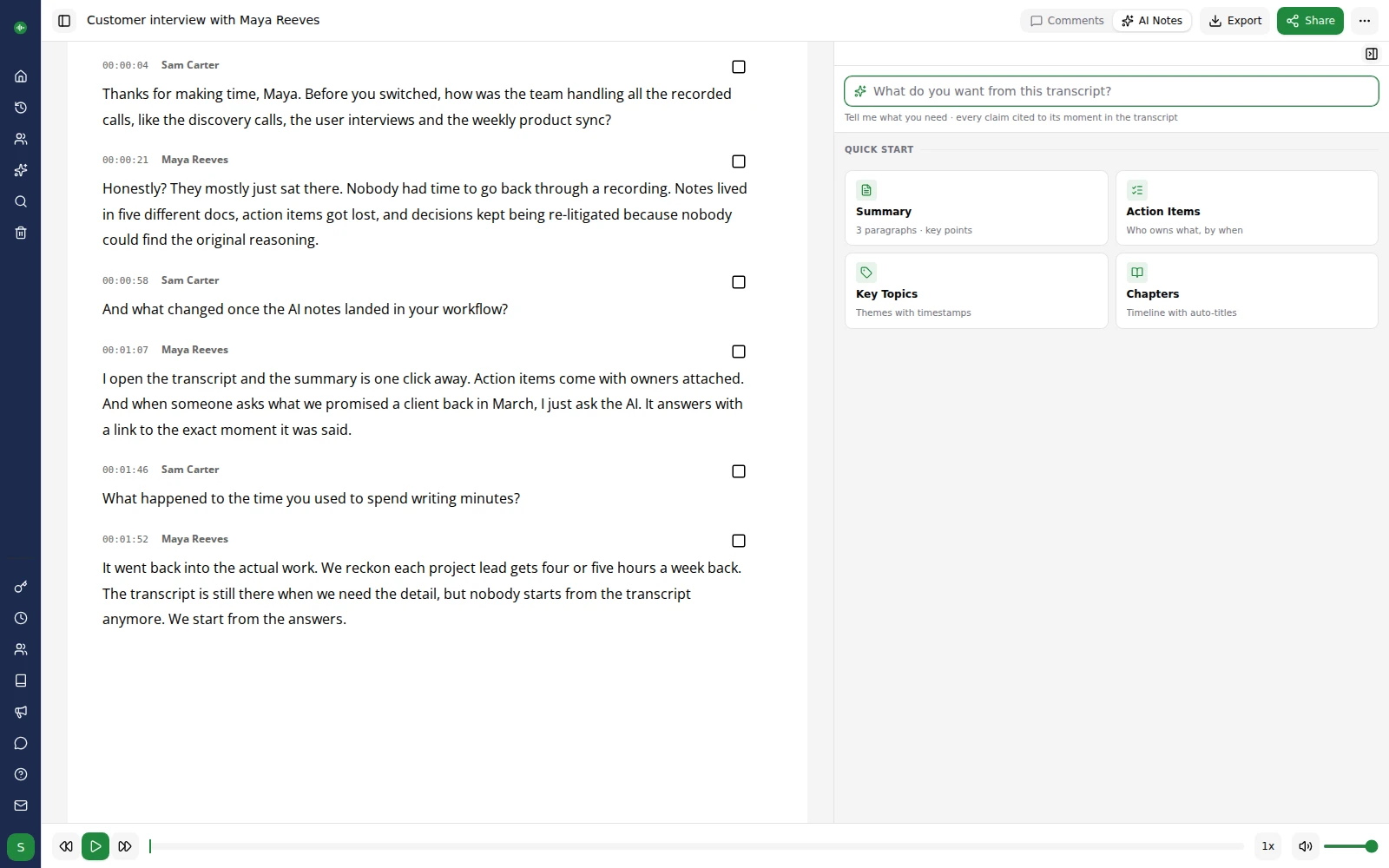
Upload your audio securely to our encrypted cloud platform
AI automatically converts speech to text using advanced transcription technology
Review, search and edit your transcript instantly using our online editor
Download in multiple formats including Word, PDF, SRT, VTT and more
Your transcript is ready — fast, accurate, and easy to share
Convert Audio to Text with Go Transcribe
Transcribe 46+ languages with industry-leading accuracy. Edit, search, and organise your transcripts online. Start your free trial today — no credit card required.
Start free trialFrequently Asked Questions
Can I convert long audio recordings to text?
Yes. Go Transcribe supports long audio files including interviews, lectures and multi-hour recordings. Upload your file and our system will process it automatically.
Is my audio data secure?
All uploads are encrypted in transit and at rest. Files can be deleted at any time and are not used to train AI models. Learn more on our Security page.
Which file formats are supported?
We support MP3, WAV, M4A, AAC, WMA, OGG, FLAC and many other formats. See the full list in the table above.
Do I need to install software?
No installation required — everything runs online. Upload your audio and download your transcript within minutes.